Aakar Quiz
case study · live quiz system · 2023–2026
A system for running live quiz contests (a quiz master's console, a stage screen and phone buzzers) that I designed as an intern in 2023 and rebranded in 2026.
overview
Aakar Quiz runs live quiz contests at events like college quiz nights. A quiz master runs the rounds from a console, the audience follows along on a projector, and each team buzzes in from a phone.
The original is production software that still runs real contests. In 2026 I came back to it with a new brand and a redesign that separates the three screens, so each audience sees only what it should.
my part
I designed the original quiz app, a host-run contest system, during my internship at Aakar e-Solutions in 2023: the interface in Figma and Photoshop, and parts of its front end in React.
For the 2026 rebrand I set the direction and made the boards with an AI design tool (Claude), reviewing and changing each one until it was right.
the original
The original covered the whole live event: sign-in, the quiz master’s console, five round types (General, Rapid fire, Multiple choice, 50/50 and Audio visual), team settings for four houses (Red, Green, Blue and Yellow), scoreboards, and a phone buzzer paired by QR code or passcode. Its brand was purple.
what wasn’t working
A review of the original found four main problems:
- One screen, two audiences. The quiz master’s controls and the audience’s projector view shared a screen, so the answer was visible on the same screen as the question.
- Team colors fought the answer colors. The houses were red, green, blue and yellow, while green and red also meant correct and wrong.
- No design system. Four fonts, including a mix of serifs, and six different button styles.
- Missing states. Many question and buzzer states weren’t designed yet, and the prototype was only partly wired.
the rebrand
The purple brand gave way to Himalayan Blue: navy and gold, the classic quiz-show pairing. A dark ground reads well on a big screen and saves battery on the OLED phones teams buzz from.
- Color is reserved for meaning. Green and red mean correct and wrong, gold marks the one main action, and the four team colors (cyan, pink, orange and lilac) never collide with any of them.
- No team is identified by color alone. Every team chip has a color, an initial and a name.
- Two type families, one foundry. Baloo 2 for display text and numbers, Mukta for everything else. Both come from Ek Type and include Devanagari, so Nepali questions render in the same style. They replace four fonts.
- One button family. Gold is the one main action on each screen, blue is secondary and outline is tertiary, replacing six button styles.
three screens, three audiences
The quiz master’s console
The console is the only screen that shows the answer. From it the quiz master marks a team correct or incorrect, passes the question on, runs the timer, and sees exactly what the audience sees before revealing anything. The main actions have keyboard shortcuts (C, X and P to mark and pass, Space for the timer, Enter to reveal, B to blank the stage), so a contest can run without reaching for the mouse.
The stage screen
The projector shows only what the room should see: the question, who’s answering, which answers the 50/50 removed, then the reveal and the standings.
The buzzers
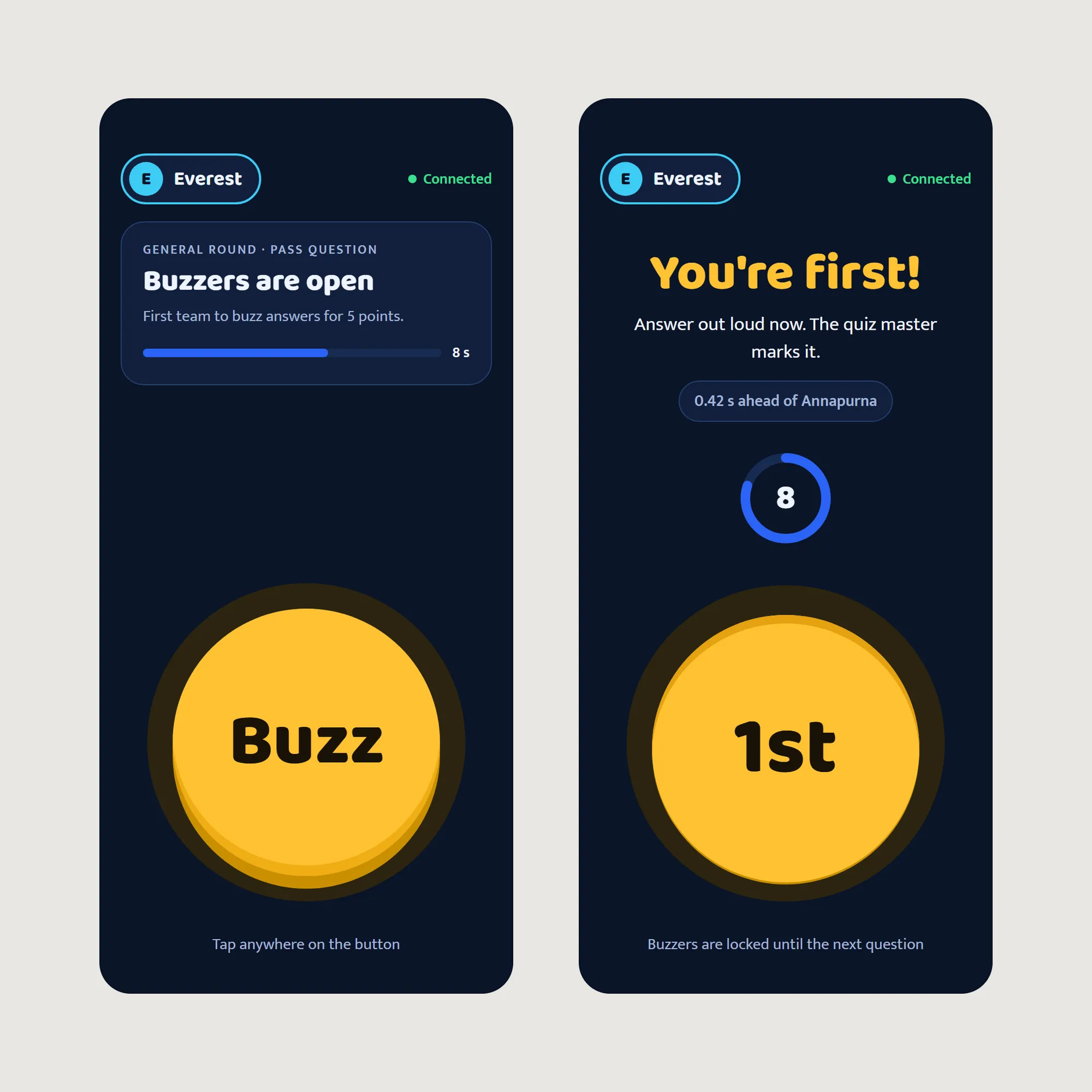
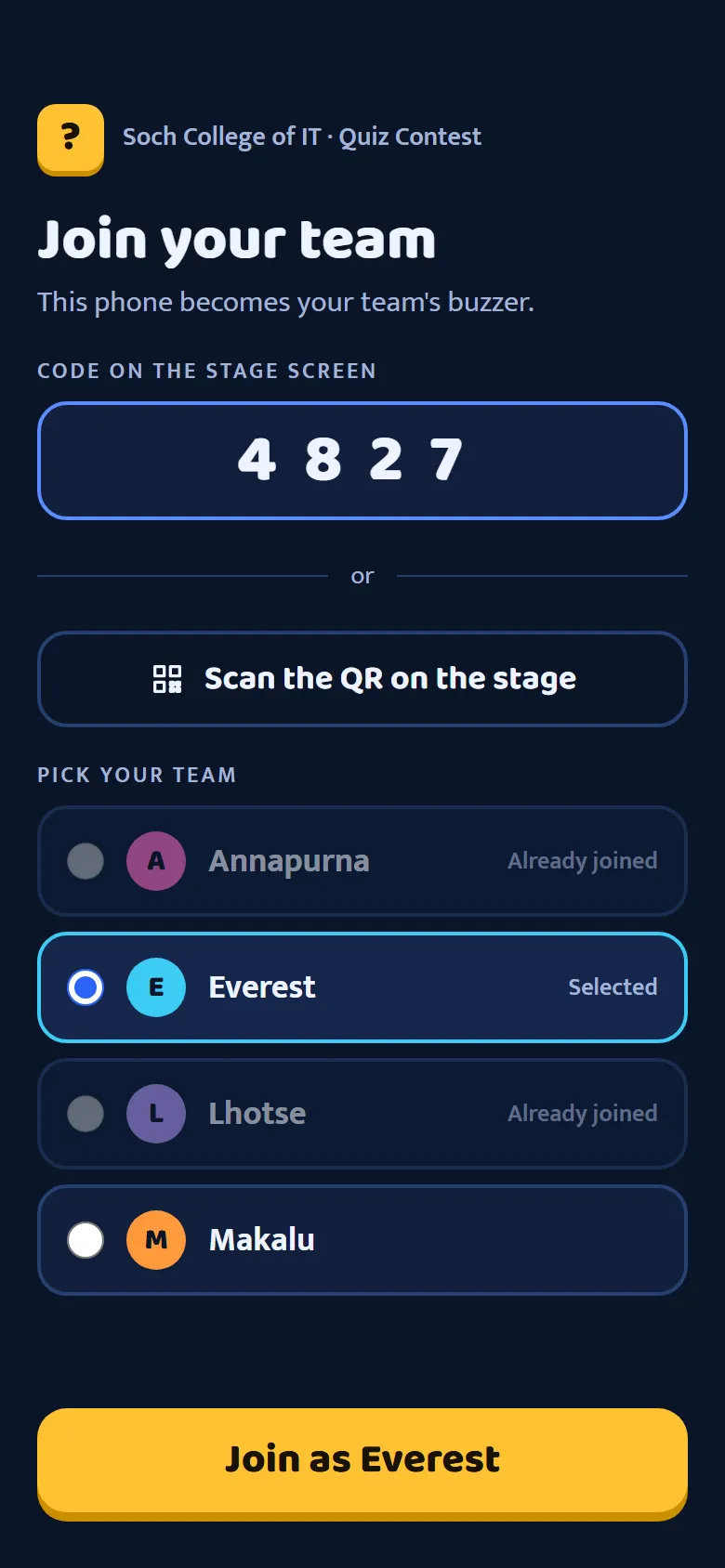
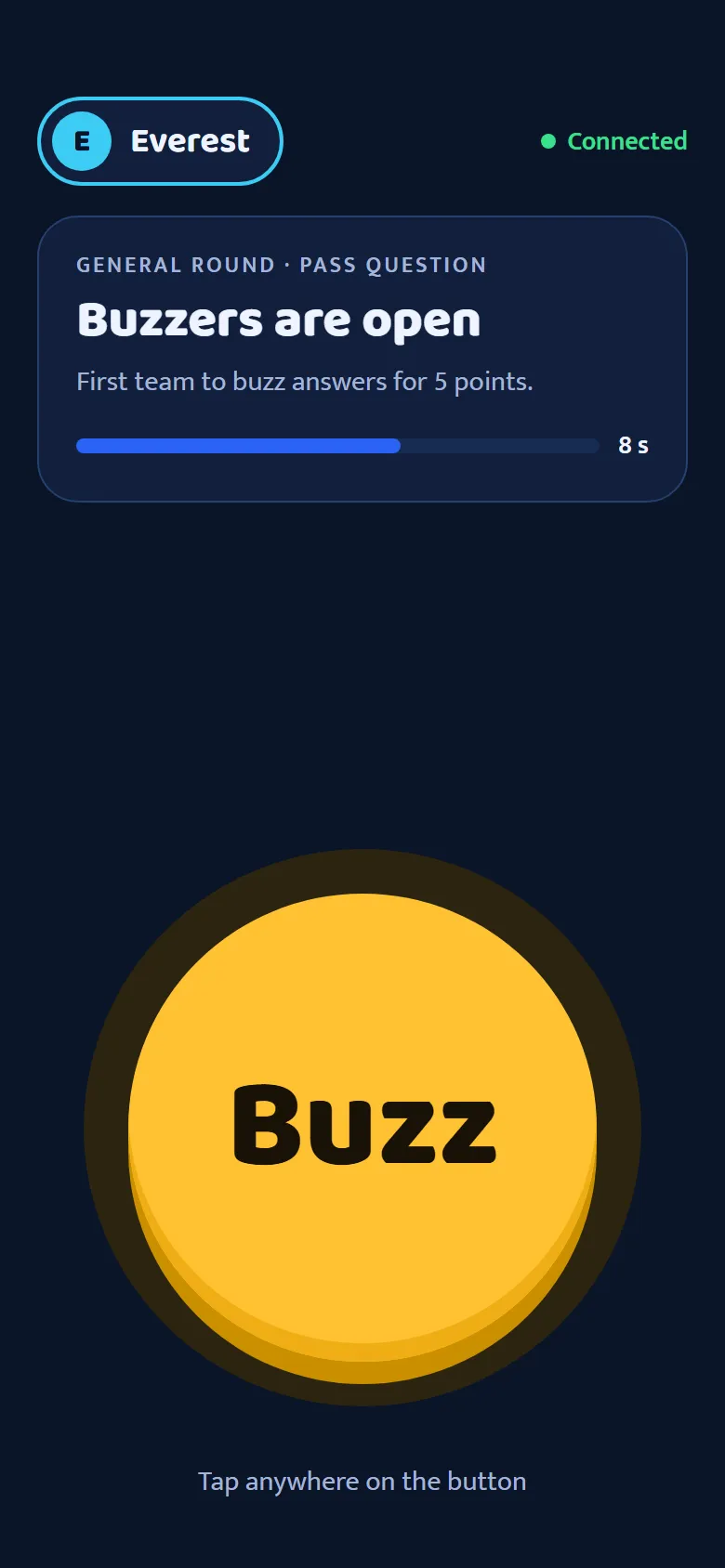
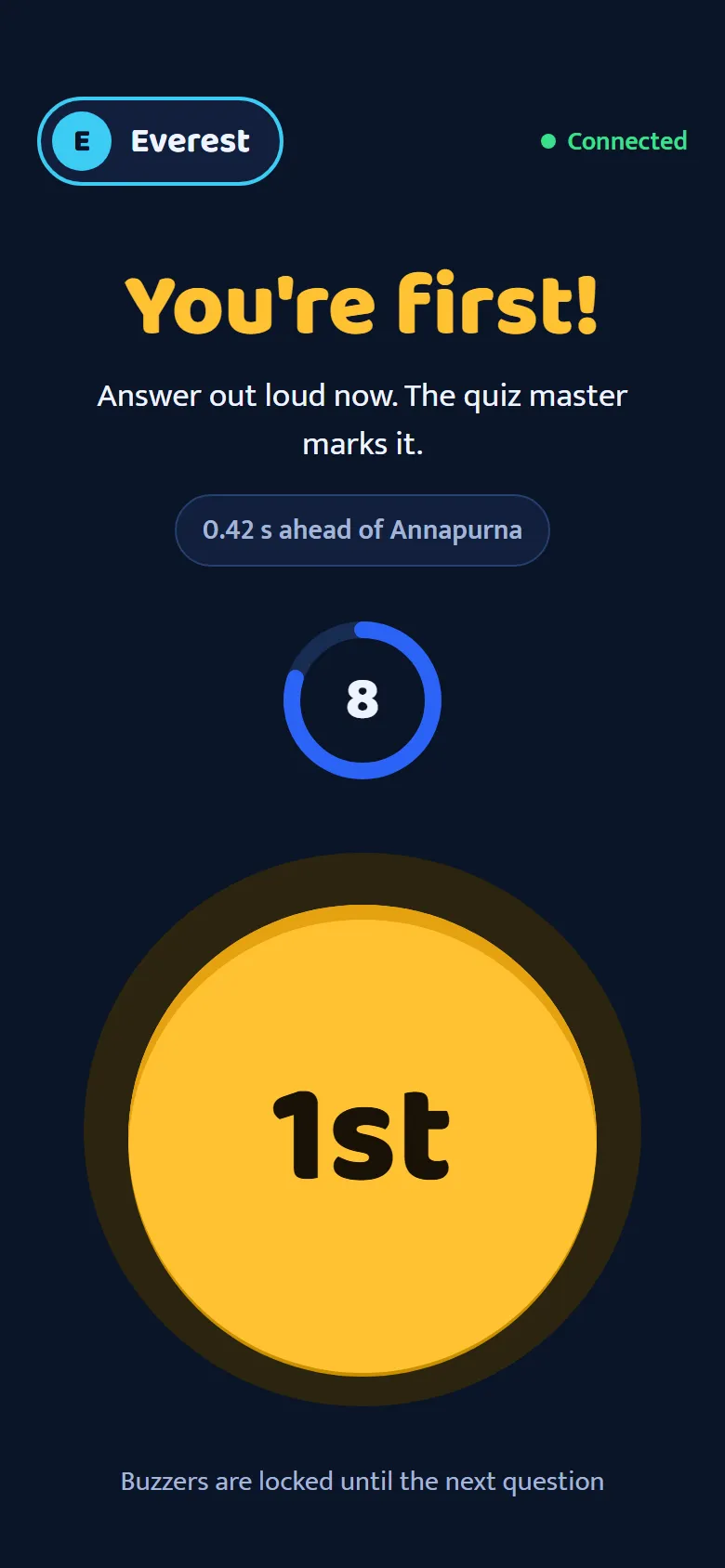
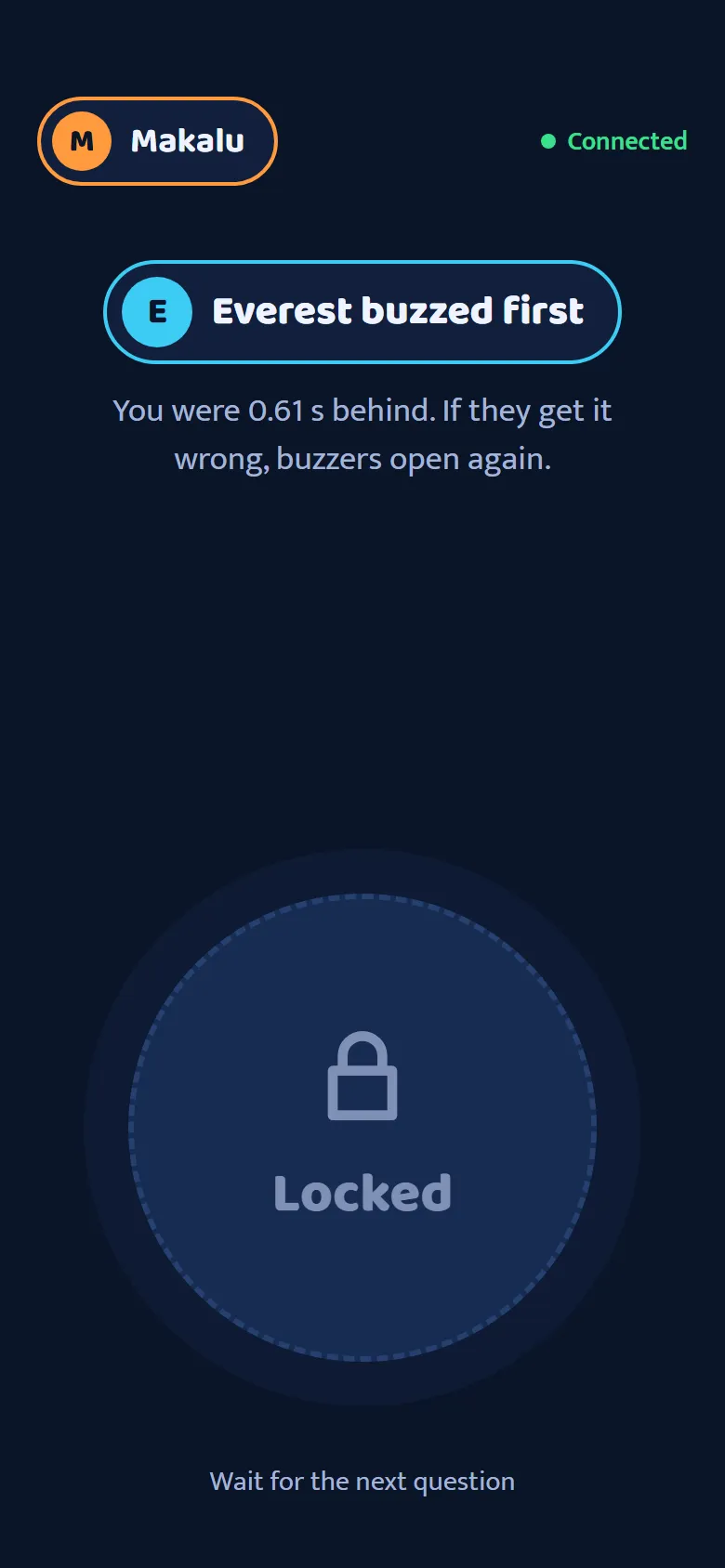
Each team’s phone becomes its buzzer: join with the code on the stage screen, buzz when buzzers open, and see straight away whether you were first or how far behind you were.
what’s next
The original is production software and still runs live quiz contests. The rebrand is a concept for its next version.
what I learned
Set the rules before picking colors. Reserving green and red for answers and gold for the main action first turned choosing a palette from a matter of taste into a short list.